Registra el estado y las cabeceras de cada ruta afectada y verifica la recuperación con el contenido real. Define quién retirará la respuesta temporal y qué evidencia utilizará.
Dibuja el alcance de la pausa
Empieza con las rutas que realmente dejarán de atender peticiones. Un catálogo puede seguir abierto mientras se actualiza la parte de reservas. Haz una lista con una URL afectada, una sana y otra que represente las reglas de rastreo. Para cada una escribe qué respuesta esperas y quién puede verificarla.
El RFC 9110 describe 503 para una incapacidad temporal de atender una solicitud, como mantenimiento programado o sobrecarga. Guarda el contexto de la operación junto con el código. Ese contexto permite investigar de dónde viene la interrupción y cuándo corresponde cerrar la prueba.
Redacta un aviso que sirva mientras esperas
Incluye la función afectada, un próximo momento de actualización si está acordado y una vía de contacto que puedas mantener disponible. Piensa cómo se leerá el aviso si el resto de la aplicación está ocupado. La guía de Google propone un cuerpo informativo y ligero para una pausa breve del sitio.
En un ensayo ficticio del catálogo Olmo, la página de reservas indica que la función está temporalmente en mantenimiento. Su HTML explica la situación. El estado HTTP permite comprobar por separado que la respuesta comunica indisponibilidad.
Lee la espera desde la respuesta
En una respuesta 503, Retry-After expresa la espera estimada. El valor puede ser una fecha HTTP o un número entero de segundos desde que se recibe la respuesta, según RFC 9110. Un ejemplo propio sería Retry-After: 180, una indicación de esperar tres minutos.
Guarda ese valor como una estimación. Para comprobar el regreso del servicio hay que emitir otra petición y verificar el estado y el contenido que devuelve. Si el plazo cambia, actualiza también la información que ven las personas.
Compara tres rutas en el mismo ensayo
La siguiente tabla describe una prueba propuesta en un entorno controlado. Cada fila corresponde a una petición a la URL indicada con la pausa activa.
| Ruta | Respuesta | Qué leer |
|---|---|---|
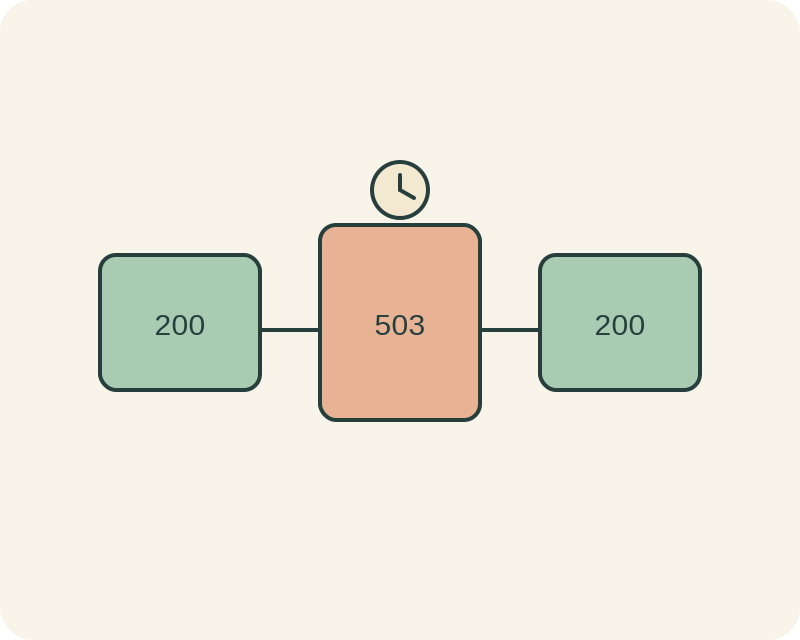
| /reservas/ | 503 | Aviso y espera estimada |
| /catalogo/ | 200 | Catálogo habitual |
| /robots.txt | 200 | Reglas de rastreo previstas |
Consulta la respuesta desde fuera del proceso que la genera. Así puedes detectar si el proxy devuelve un código diferente o si el aviso depende de un recurso que cayó junto con la aplicación.
Verifica el regreso en la misma URL
Después de retirar la pausa, comprueba que reservas devuelve la página esperada y que el siguiente paso funciona en el entorno autorizado. Mira el cuerpo además del 200. Si un intermediario conserva el aviso, registra qué recibió el cliente y revisa la política de caché aplicable.
Anota inicio, fin y peticiones observadas. Google explica que sus sistemas no pueden actualizar el contenido de una página durante una respuesta 503. El registro de recuperación describe la disponibilidad observada en tus peticiones.
Deja una ficha para el próximo mantenimiento
Conserva alcance, responsable, aviso, código esperado, estimación de espera, URLs de control y comprobaciones de regreso. Añade el punto en el que el responsable debe reconsiderar el plazo. Un ensayo breve con esas evidencias permite reproducir qué ocurrió sin depender de una captura aislada.
La guía de continuidad relacionada ayuda a mantener tareas de negocio durante una caída. Aquí el resultado es una ficha de respuestas HTTP verificadas para las rutas que participan en la pausa.
How to check a 503 response during maintenance
A maintenance page has two audiences. People need to know what they can do, and HTTP clients need a status describing the URL’s availability. Both can be checked in the same request.
Record status and headers for each affected route and confirm recovery using the actual content. Name the owner who will remove the temporary response and the evidence they will inspect.
Map the scope of downtime
Start with routes that really stop handling requests. A catalog may stay open while booking is updated. List one affected URL, one healthy URL and one that represents crawl rules. Write the expected response and reviewer for each.
RFC 9110 describes 503 as a temporary inability to handle a request, for example during planned maintenance or overload. Keep operational context beside the code. That context helps investigate where the interruption comes from and when the check can close.
Write a notice people can use while waiting
Include the affected function, an agreed update time if available and a contact channel you can keep available. Consider how the notice will read if the rest of the application is busy. Google’s guidance suggests a lightweight informational body for a brief site pause.
In a fictional exercise for the Olmo catalog, the booking page says the function is undergoing maintenance. The HTML describes the situation. The HTTP status provides a separate check that the response communicates unavailability.
Read the wait from the response
On a 503 response, Retry-After gives an estimated wait. RFC 9110 allows an HTTP date or an integer number of seconds after receipt. An original example is Retry-After: 180, asking the client to wait three minutes.
Keep that value as an estimate. Confirm recovery with a fresh request and inspect the returned status and content. If timing changes, update the information people see as well.
Compare three routes in the same exercise
This table describes a proposed test in a controlled environment. Each row represents a request to the stated URL while maintenance is active.
| Route | Response | What to inspect |
|---|---|---|
| /reservas/ | 503 | Notice and estimated wait |
| /catalogo/ | 200 | Usual catalog |
| /robots.txt | 200 | Expected crawl rules |
Request the page from outside the process that serves it. You can discover whether a proxy returns a different code or whether the notice depends on a resource that went down with the application.
Verify recovery at the same URL
Once downtime ends, check that booking returns its expected page and the next step works in the authorized environment. Inspect the body as well as the 200. If an intermediary retains the notice, record what the client received and review the applicable cache policy.
Record start, finish and observed requests. Google explains that its systems cannot refresh page content during a 503 response. The recovery record describes availability observed in your requests.
Keep a record for the next maintenance window
Keep scope, owner, notice, expected code, wait estimate, control URLs and recovery checks. Add the point at which the owner should reconsider timing. A brief exercise with these records lets someone reconstruct what happened from more than a screenshot.
The related continuity guide helps maintain business tasks during an outage. Here the result is a record of verified HTTP responses for routes involved in the pause.
维护期间如何检查 503 响应
维护页面有两类读者。访问者需要知道能做什么,HTTP 客户端需要能描述网址可用性的状态。一次请求就能核对两者。
记录各受影响路径的状态与响应头,再用实际内容确认恢复。明确谁撤下临时响应,以及用什么证据确认。
画出暂停范围
先列出确实暂停处理请求的路径。更新预约功能时,目录可能仍可使用。选一个受影响网址、一个正常网址和一个代表抓取规则的网址,为各项写明预期响应与核对人。
RFC 9110 用 503 表示暂时无法处理请求,例如计划维护或过载。把运行背景与状态码一起保留,便于调查中断从何处发生,以及何时可以结束检查。
撰写等待期间可用的提示
说明受影响功能、已约定的下次更新时间及能持续使用的联系方式。考虑应用其余部分繁忙时,提示能否正常阅读。Google 对短时暂停建议采用轻量、包含说明的响应正文。
在虚构的 Olmo 目录演练中,预约页说明功能正在维护。HTML 解释情况,HTTP 状态则供人单独核对响应是否表达暂时不可用。
从响应读取等待时间
503 响应中的 Retry-After 给出预计等待时间。根据 RFC 9110,可以使用 HTTP 日期,也可用收到响应后需等待的整数秒数。自拟示例 Retry-After: 180 表示建议等待三分钟。
把这个值保留为估计。要确认恢复,应重新请求并查看实际状态与内容。时间有变化时,也更新用户看到的信息。
在同一次演练比较三条路径
下表描述受控环境中的拟议测试。每行对应暂停期间对指定网址发起的一次请求。
| 路径 | 响应 | 核对内容 |
|---|---|---|
| /reservas/ | 503 | 提示与预计等待 |
| /catalogo/ | 200 | 正常目录 |
| /robots.txt | 200 | 预期抓取规则 |
从提供页面的进程外发起请求。这样可以发现代理是否返回不同状态,以及提示是否依赖与应用一起中断的资源。
在同一网址验证恢复
撤下暂停后,核对预约网址恢复预期页面,并在授权环境验证后续步骤。除了 200,还要查看正文。如果中间层保留了提示,记录客户端收到的内容并检查适用缓存策略。
记下开始、结束与观察到的请求。Google 说明系统在页面返回 503 时无法刷新其内容。恢复记录描述这些请求所观察到的可用性。
为下次维护留下一份记录
保留范围、负责人、提示、预期状态、等待估计、对照网址与恢复检查。注明何时需要重新评估时间。用短小的演练记录重建经过,比单独依靠截图更完整。
相关连续性指南帮助业务在中断时维持任务。本文的结果是暂停所涉及路径的 HTTP 响应核对表。
Fuentes y método
Fuentes consultadas el 3 de noviembre de 2026. Los escenarios y cifras ilustrativos son ficticios. Ejercicios y fichas originales, sin resultados de clientes ni observaciones de campo atribuidos. Editorial standards · Disclosures.