Keep the original identifiers and gather identity evidence before choosing a primary record. Then review how the tool handles fields, activities and associations.
Compare more than the name
Record each ID, email addresses, company, phone and record source. Find prior confirmation that both addresses belong to the same person or verify through a known channel. A company switchboard number or shared mailbox may belong to several people.
Write down what supports the decision
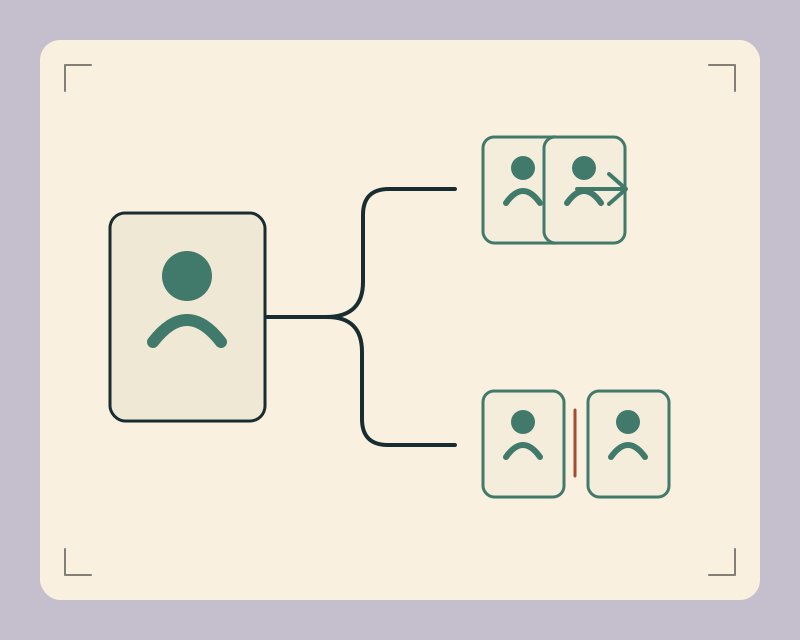
In the fictional example, an earlier reply from Laura confirms that both work and personal addresses are hers. Both records also link to the same project. For the other pair, orders and organizations identify different people. Keep both records and document that conclusion.
Choose the data that should remain
For the confirmed pair, compare conflicting fields and their sources and dates. Identify the primary record and its relationships with deals, companies and tasks. Check the tool's rules: a merge can resolve values differently by object or field.
Review the scope before acting
HubSpot documents that a record merge cannot be undone as a merge. Keep a permitted export of the necessary data and check how activities and associations will be handled. A copy helps review the earlier state, but recovering the exact structure requires its own verification.
Verify the resulting contact
After an authorized merge, review emails, chosen fields, deals and next tasks. Save both source IDs, the resulting ID, date and owner. If identity remains uncertain, keep the pair pending review so the uncertainty does not spread into follow-up.
Follow the evidence.
Sources checked November 18, 2026. The exercise scenarios and figures are fictional. Our editorial standards.