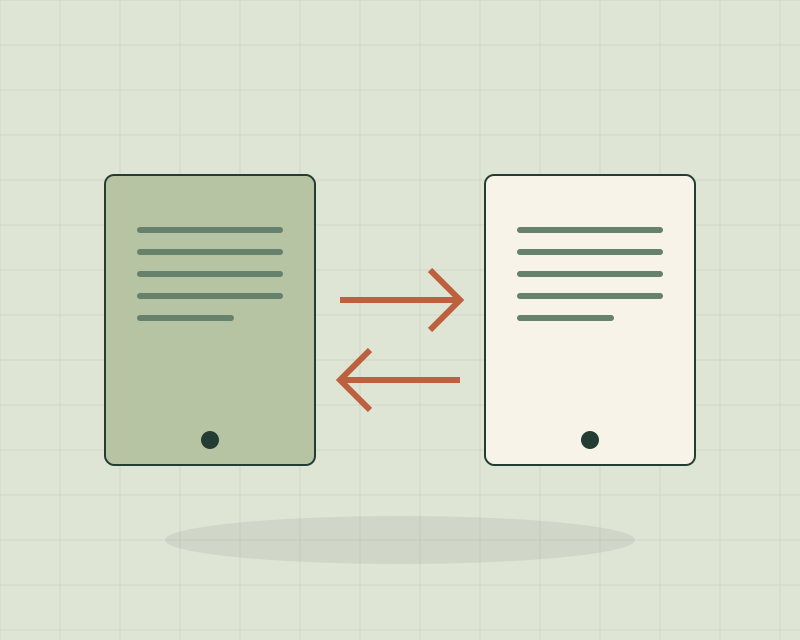
Prueba una muestra representativa en un entorno separado. Descargar un archivo, comprenderlo e importarlo son estados distintos; documenta cada uno antes de cancelar un servicio.
Empieza por el trabajo que depende de la herramienta
Describe qué quedaría detenido si el servicio no estuviera disponible mañana: consultar acuerdos, editar artículos, recibir formularios o encontrar archivos. Después identifica datos, relaciones, automatizaciones y accesos que sostienen ese trabajo. Una lista de aplicaciones sin estas dependencias no explica qué necesitas conservar.
La guía del Government Digital Service sobre dependencia técnica propone considerar el esfuerzo de salida frente al valor de permanecer con el proveedor. Está dirigida a decisiones de nube del sector público británico; aquí usamos esa pregunta como contexto para un ejercicio pequeño de continuidad, no como una obligación universal ni una recomendación de cambiar de plataforma.
Pregunta qué significa exportar en ese producto
Revisa la documentación actual del proveedor: formato, tipos de información, límites, permisos y herramientas de importación compatibles. Como ejemplo documentado, WordPress explica que su pantalla de exportación genera un archivo XML con contenido y datos asociados, destinado a su proceso de importación. Eso permite una afirmación concreta sobre esa función, no sobre cualquier otro producto.
No supongas que tener texto exportado conserva también el diseño, las integraciones, permisos o comportamiento de tu instalación. La pregunta es qué incluye tu exportación concreta y qué necesita un procedimiento aparte. Guarda la fecha y el enlace de la documentación usada para interpretar el archivo.
Elige una muestra que revele las relaciones
En un caso ficticio, un estudio guarda proyectos en una herramienta. Una muestra útil incluye un proyecto con responsable, dos tareas relacionadas, un archivo y un comentario. Exportar solo un nombre demuestra muy poco sobre la posibilidad de continuar el trabajo. Usa datos ficticios o información que tengas autorización para manejar.
Conserva el original y trabaja con una copia en un espacio separado. Registra el identificador del proyecto y cómo se representan las relaciones. Si un archivo exportado contiene únicamente un enlace de descarga, comprueba si el material seguirá disponible cuando termine el acceso al servicio. No realices cambios destructivos para completar el ensayo.
Comprueba cuatro estados diferentes
- Descargado: existe un archivo legible y sabes cuándo se generó.
- Comprendido: identificas campos, unidades, referencias y ausencias.
- Importado: el destino admite la muestra y conserva las relaciones necesarias.
- Utilizable: una persona autorizada puede completar la tarea acordada.
Un conteo coincidente de registros no prueba el último estado. Una fecha puede haber cambiado de interpretación, una tarea perder su responsable o un adjunto quedar inaccesible. Anota problemas y diferencias sin convertir un ensayo pequeño en una afirmación de compatibilidad completa.
Escribe una salida proporcionada al riesgo real
Registra quién puede exportar, dónde se conserva el material permitido, qué partes requieren otro procedimiento y quién verificará el resultado. Añade condiciones de decisión: qué cambio de disponibilidad, alcance o servicio justificaría revisar alternativas. Una preferencia por otra interfaz no tiene el mismo efecto operativo que perder acceso a información esencial.
Si necesitas entender un anuncio del proveedor, la guía de lectura de noticias con contexto ayuda a separar lo confirmado de su posible impacto. Esta guía aborda el paso posterior: comprobar una dependencia concreta en tu propio trabajo.
Decide con una prueba y una lista de pendientes
El resultado puede ser permanecer y documentar mejor el proceso, solicitar una aclaración al proveedor o preparar otra prueba. No hace falta cancelar la herramienta para que el ejercicio resulte útil. Antes de una migración real, confirma el alcance completo, las personas responsables y un procedimiento de recuperación apropiado para el sistema.
Si la herramienta sostiene oportunidades comerciales, nuestra guía de seguimiento de clientes ayuda a identificar contexto y acuerdos que no quieres perder. Para probar un flujo nuevo con límites explícitos, consulta la guía de validación. Un archivo disponible es evidencia de una exportación; la continuidad exige comprobar el trabajo.
Before Switching Tools, Test What You Can Take with You
An export button looks like a prepared exit until you discover that the file does not preserve relationships or the way your team works. Before you need a migration, check which information you can recover and what you would have to rebuild.
Test a representative sample in a separate environment. Downloading, understanding and importing a file are different states; document each before canceling a service.
Start with the work that depends on the tool
Describe what would stop if the service were unavailable tomorrow: consulting agreements, editing articles, receiving forms or finding files. Then identify the data, relationships, automations and access that support that work. An application list without dependencies does not explain what must be preserved.
The Government Digital Service’s technical-lock-in guidance considers exit effort against the value of remaining with a provider. It addresses UK public-sector cloud decisions; we use that question as context for a small continuity exercise, not a universal requirement or a recommendation to switch platforms.
Ask what export means in this product
Check the provider’s current documentation: format, information types, limits, permissions and compatible import tools. As one documented example, WordPress explains that its export screen creates an XML file with content and associated data for its import process. That supports a specific statement about this function, not every other product.
Do not assume exported text also preserves the design, integrations, permissions or behavior of your installation. Ask what this particular export includes and what needs a separate procedure. Keep the date and documentation link used to interpret the file.
Choose a sample that reveals relationships
In a fictional case, a studio stores projects in a tool. A useful sample includes a project with an owner, two related tasks, a file and a comment. Exporting a name alone demonstrates very little about continuing the work. Use fictional data or information you are authorized to handle.
Keep the original and work on a copy in a separate space. Record the project identifier and how relationships are represented. If an exported file contains only a download link, check whether its material will remain available after service access ends. Do not make destructive changes to complete the rehearsal.
Check four different states
- Downloaded: a readable file exists and its generation time is known.
- Understood: fields, units, references and omissions are identified.
- Imported: the destination accepts the sample and preserves required relationships.
- Usable: an authorized person can complete the agreed task.
Matching record counts do not prove the last state. A date may be interpreted differently, a task may lose its owner or an attachment may become inaccessible. Record problems and differences without turning a small rehearsal into a claim of complete compatibility.
Write an exit plan proportionate to the actual risk
Record who can export, where permitted material is kept, which parts need another procedure and who will verify the result. Add decision conditions: which change in availability, scope or service would justify reviewing alternatives? Preferring another interface has a different operational effect from losing access to essential information.
To understand a provider announcement, our business-news reading guide separates confirmed information from possible impact. This guide addresses the next step: testing one concrete dependency in your own work.
Decide with a test and an open-question list
The result may be staying and documenting the process better, asking the provider for clarification or preparing another test. You need not cancel a tool for the exercise to be useful. Before a real migration, confirm the full scope, responsible people and a recovery procedure appropriate to the system.
If the tool supports sales opportunities, our customer follow-up guide helps identify context and agreements worth preserving. To test a new workflow with explicit limits, see our validation guide. An available file is evidence of an export; continuity requires testing the work.
更换工具之前,先试试哪些内容能带走
导出按钮看起来像已经准备好的出口,直到你发现文件没有保留数据关系或团队的工作方式。在真正需要迁移之前,先检查能够取回什么信息,以及哪些部分需要重建。
在独立环境测试有代表性的样本。下载、理解与导入文件是不同状态,取消服务之前应分别记录。
从依赖工具的工作开始
描述如果服务明天不可用,什么会停下来:查询约定、编辑文章、接收表单或寻找文件。再识别支持工作的数据、关系、自动化与访问权限。只有应用名单,没有依赖关系,无法说明必须保留什么。
英国 Government Digital Service 的技术锁定指引,提出比较退出成本与继续使用供应商的价值。它面向英国公共部门的云决策;我们借用这个问题作为小规模连续性练习的背景,不把它当作普遍义务,也不据此建议更换平台。
弄清这个产品所说的导出
查看供应商现行文档:格式、信息类型、限制、权限与兼容导入工具。一个有文档支持的例子是 WordPress:它的导出界面生成包含内容与相关数据的 XML 文件,供其导入流程使用。这能说明这一功能,不能自动推广到其他产品。
不要假设导出文字就同时保存了安装环境中的设计、集成、权限或行为。应问清这次具体导出包含什么,以及哪些需要其他程序。保留用于理解文件的文档链接与查阅日期。
选择能暴露关系的样本
在虚构案例中,一家工作室使用工具管理项目。有用样本应包含一个有负责人的项目、两项关联任务、一个文件和一条评论。只导出一个名称,几乎不能证明工作可以继续。使用虚构数据或获准处理的信息。
保留原始资料,在独立空间中操作副本。记录项目标识符与关系的表示方式。如果导出文件只有下载链接,检查服务访问结束后材料是否仍可取得。不要为完成演练而进行破坏性操作。
分别检查四种状态
- 已下载:存在可读文件,且知道生成时间。
- 已理解:识别字段、单位、引用与缺失项。
- 已导入:目标系统接受样本,并保留必需关系。
- 可使用:获准人员能够完成约定任务。
记录数相同,不能证明最后一种状态。日期可能被不同解释,任务可能失去负责人,附件也可能无法访问。记录差异与问题,不要把小规模演练当作完整兼容性的证明。
按实际风险写退出准备
记录谁能导出、允许保存的材料放在哪里、哪些部分需要另外处理,以及谁验证结果。补充决策条件:可用性、范围或服务发生什么变化,才值得重新比较替代方案?喜欢另一种界面,与失去关键信息的访问权限,具有不同运营影响。
理解供应商公告时,本站商业新闻阅读指南区分确认信息与可能影响。本文处理之后的一步:在自己的工作中测试一项具体依赖。
依据测试与待办问题决定
结果可能是继续使用并完善记录、向供应商澄清问题,或准备另一轮测试。不必取消工具,练习才有意义。正式迁移前,确认完整范围、负责人,以及适合系统的恢复程序。
如果工具承载销售机会,本站客户跟进指南帮助识别需要保留的背景与约定。测试新流程时,可用验证指南明确边界。有文件只能证明导出发生过;工作连续性需要实际检查。
Fuentes y método
- UK Government Digital Service · Managing technical lock-in in the cloud ↗
- WordPress.org · Tools Export screen ↗
Fuentes consultadas el 17 de octubre de 2026. Los ejemplos son ficticios y los instrumentos de trabajo son propuestas editoriales originales; no representan experimentos, resultados de clientes ni pruebas de proveedores. Editorial standards · Disclosures.