Record why each link exists and where it is generated. Verify its destination and relationship attribute on the public page, including anything added by a separate component.
Check where each link came from
Record the page URL, link text, destination and who added it. Find out if the link was part of an arrangement involving payment, commission, a product or other compensation. Distinguish a reference chosen by editors from a reader's submission.
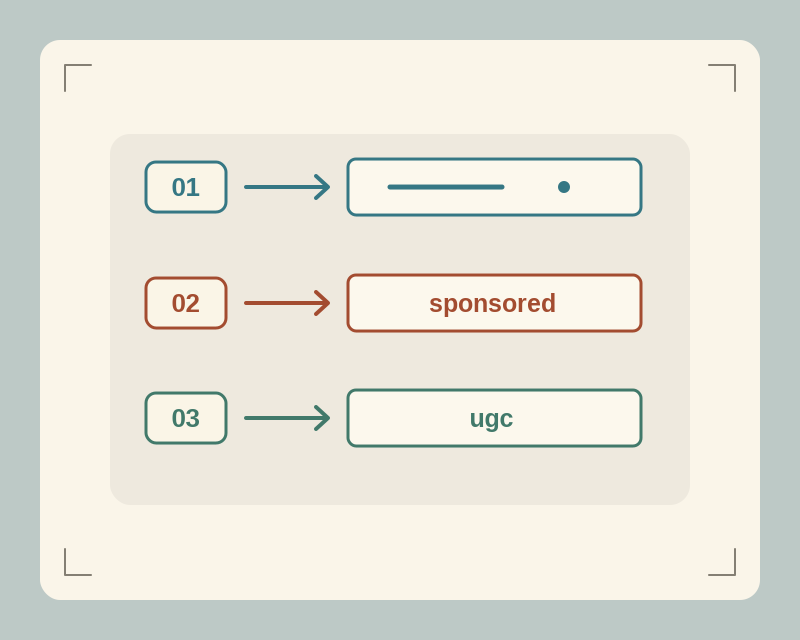
Classify three links in the newsletter
The report citation can be an ordinary link. Mark the paid ad with rel="sponsored". The resource in the comment can use rel="ugc". If you also apply a non-association rule to those user links, Google supports combining values, for example rel="ugc nofollow".
Check the output of each component
Open the public page and find the three a elements. Verify the href and rel for the corresponding link in each case. Repeat for the comments component once it loads. A rule applied to the article body may miss a button generated by another module.
Assess a mixed case one link at a time
If the shop also funds a resource article, review which links are part of the agreement. If the same page cites another report by editorial choice, document that reason separately. A shared domain or the look of a button tells you less than the origin of each link.
Keep one example per template
Keep a sample of the article, the ad and the reader's contribution. Repeat the check after switching editors or comment providers. Google can discover the destination through other paths, so the attribute describes the link you inspected.
Follow the evidence.
- Google Search Central · Qualify your outbound links ↗
- Google Search Central · Spam policies for Google web search ↗
Sources checked November 16, 2026. The exercise scenarios and figures are fictional. Our editorial standards.