Define una acción y reparte el mensaje entre planos, texto y audio. Ensaya la secuencia a su duración real antes de coordinar la grabación.
Empieza por la acción final
Un taller ficticio de macetas quiere que las personas consulten los tamaños disponibles. La acción al final del video será visitar su guía de medidas. Escribe esa acción y la duda que resuelve. Si la guía todavía está en preparación, marca el destino como pendiente en el guion.
Google Ads presenta la dirección como uno de los principios de su guía creativa para video. En este ejercicio la dirección se concreta en una acción que se puede comprobar en la página de destino.
Elige una situación que se vea
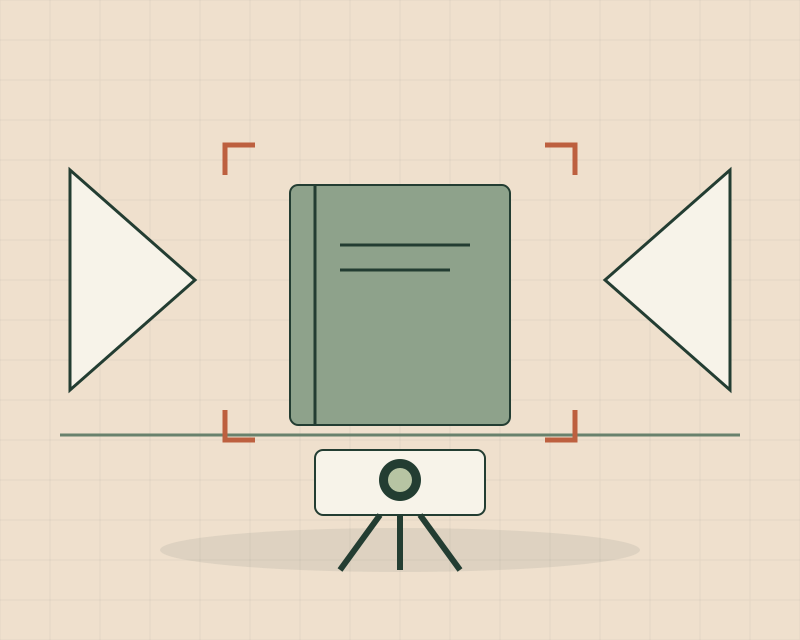
En la primera imagen, una mano mide el espacio libre de un estante. Luego aparecen dos macetas que podrían caber ahí. El problema y el producto entran en el mismo recorrido. Dibuja cuadros simples con el objeto principal y el movimiento previsto.
Anota qué señal de marca se verá en cada plano que la necesite. Puede ser una etiqueta en la maceta o el nombre en un texto breve. Prueba si se entiende en el tamaño final de pantalla.
Distribuye la acción en quince segundos
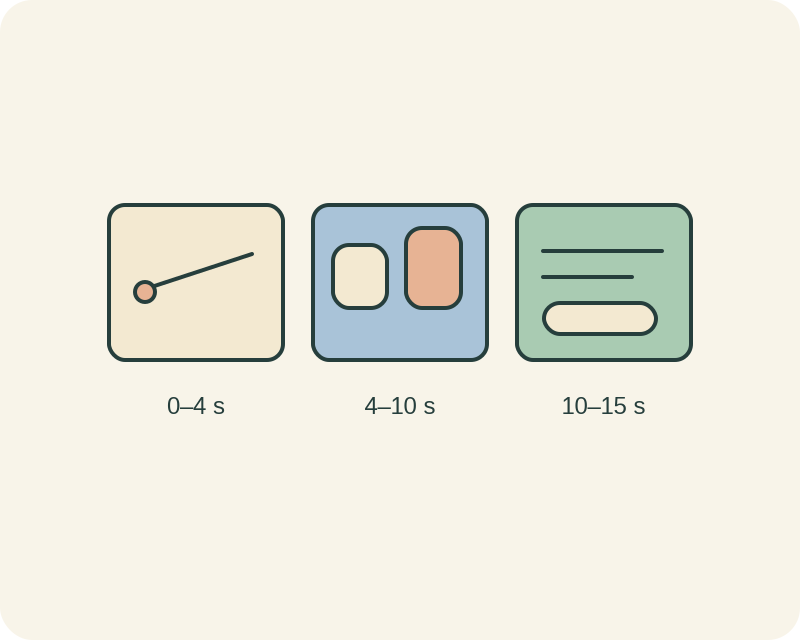
Esta secuencia es un ejemplo original para una pieza ficticia. Los tiempos ayudan a ensayar el montaje y pueden ajustarse al probarlo.
| Tiempo | Imagen | Texto o voz |
|---|---|---|
| 0–4 s | Mano con cinta métrica en el estante | ¿Cuánto espacio tienes? |
| 4–10 s | Dos macetas junto a una regla y la etiqueta del taller | Compara el ancho de cada tamaño |
| 10–15 s | Nombre del taller y vista de la guía | Consulta la guía de medidas |
Cada escena aporta una información que permite leer la siguiente. Si el producto requiere otra medida para decidir, añade esa necesidad al guion antes de grabar.
Revisa cómo cooperan imagen y audio
Lee en voz alta las frases al ritmo del ensayo. Después mira la secuencia sin audio para detectar una instrucción que solo esté en la voz. Ajusta texto, encuadre y duración para que los elementos principales se puedan seguir juntos.
La orientación de Google para Demand Gen recomienda coordinar el llamado a la acción entre voz y elementos gráficos. Adapta la idea a la pieza. El ejercicio de lectura ayuda a comprobar si la repetición aclara el paso o satura el cuadro.
Haz un montaje con cuadros de prueba
Usa fotos sencillas o tus dibujos para simular los cortes. Abre el montaje en un teléfono y pide a otra persona que diga qué se muestra y qué haría al terminar. Escucha su respuesta antes de explicarle tu intención.
Registra en qué segundo encontró la medida, el nombre o la acción. Si no alcanza a leer una frase, recórtala o dale más tiempo y repite el ensayo.
Lleva el guion a la grabación con sus decisiones
Entrega cuadros, tiempos, textos aprobados, audio previsto y destino comprobado. Señala qué toma debe demostrar una medida y quién validará su lectura. La lista de fotos relacionada organiza imágenes individuales. El guion gráfico ordena las transiciones y comprueba cómo se construye el mensaje a lo largo del anuncio.
A storyboard for testing a short ad before filming
An ad can have good shots and lose clarity when they are joined. A storyboard lets you review what viewers learn at each moment, how much time they have to read and where the final scene leads.
Define one action and distribute the message across shots, text and audio. Rehearse the sequence at its actual duration before organizing the shoot.
Start with the final action
A fictional planter workshop wants people to check available sizes. The video will end by inviting them to view its size guide. Write the action and the question it answers. If the guide is still in preparation, mark the destination as pending in the storyboard.
Google Ads presents direction as a principle in its video creative guide. In this exercise, direction becomes an action you can check on the landing page.
Choose a visible situation
The opening shot shows a hand measuring a space on a shelf. Two planters that might fit appear next. The problem and product enter the same sequence. Draw simple frames showing the main object and planned movement.
Record which brand signal appears where it is needed. It could be a label on the planter or a short line with the name. Check whether it is recognizable at the final screen size.
Spread the action across fifteen seconds
This is an original sequence for a fictional ad. The timings support rehearsal and can change after testing the edit.
| Time | Image | Text or voice |
|---|---|---|
| 0–4 s | Hand holding a measuring tape on the shelf | How much room do you have? |
| 4–10 s | Two planters beside a ruler and workshop label | Compare the width of each size |
| 10–15 s | Workshop name and view of the guide | View the size guide |
Each scene supplies information for the next. If the product needs another measurement for the decision, add that requirement to the storyboard before filming.
Check how image and audio work together
Read the lines aloud at rehearsal speed. Then watch without audio and look for instructions available only in the voice. Adjust wording, framing and duration so the main elements work together.
Google’s Demand Gen guidance recommends coordinating calls to action across voice and graphics. Adapt the idea to the piece. The reading exercise helps show whether repetition clarifies the step or crowds the frame.
Make an edit with test frames
Use simple photographs or your drawings to simulate the cuts. Open the edit on a phone and ask someone what they see and what they would do when it ends. Listen before explaining your intention.
Record when they found the measurement, name or action. If a line passes too quickly, shorten it or give it more time and repeat the exercise.
Take the storyboard and its decisions to the shoot
Deliver frames, times, approved wording, planned audio and the checked destination. Mark which shot must show the measurement and who will verify readability. The related shot list organizes individual images. A storyboard orders transitions and checks how the message builds over the ad.
先用分镜检验短广告,再开始拍摄
广告的单个镜头可能都好看,连起来却不够清楚。分镜可以检查观众在各时刻看到什么、有多少时间阅读,以及结尾将他们引向哪里。
确定一项行动,把信息分配到画面、文字与声音。组织拍摄前,用实际时长排练整段。
从结尾的行动开始
一家虚构花盆工坊希望人们查看可选尺寸。视频结尾会邀请他们打开尺寸指南。写下这项行动及其要回答的疑问。如果指南还在准备,就在分镜里标记目标页面待确认。
Google Ads 的视频创意指南把行动指引列为原则之一。在本练习中,它表现为在目标页面可以检查的一项行动。
选择能用画面呈现的情境
开场拍一只手测量架子上的空位。然后出现两个可能放得下的花盆。问题与产品在同一段过程中出现。画简单的框,标出主要物体和预期动作。
记录需要品牌线索的镜头会展示什么。可以是花盆上的标签,也可以是简短名称。用最终屏幕尺寸检查辨识度。
把动作排进十五秒
下面是为虚构广告编写的原创顺序。时间供试剪使用,排练后可以调整。
| 时间 | 画面 | 文字或旁白 |
|---|---|---|
| 0–4 秒 | 手拿卷尺测量架子 | 你有多大空间? |
| 4–10 秒 | 两个花盆、尺子和工坊标签 | 比较各个尺寸的宽度 |
| 10–15 秒 | 工坊名称与指南画面 | 查看尺寸指南 |
每幕都提供理解下一幕所需的信息。若产品还需要另一项尺寸才能判断,拍摄前把它加进分镜。
检查画面与声音如何配合
按排练节奏读出文案。然后静音观看,查找只在旁白中出现的指引。调整用词、取景和停留时间,让主要信息能一起被理解。
Google 的 Demand Gen 指南建议协调旁白与图形中的行动提示。把思路用在当前作品中,再通过阅读练习看看重复是澄清行动,还是让画面拥挤。
用测试画面试剪
用简单照片或草图模拟剪切。在手机上打开试片,请另一人说明看到什么,以及结束后会做什么。先听回答,再解释你的用意。
记下对方在第几秒找到尺寸、名称或行动。如果一句话来不及读,就缩短或延长停留,再试一次。
把分镜和已定事项交给拍摄团队
交付画面、时间、已批准文案、拟用声音和核实过的目标页面。标出哪个镜头必须展示尺寸,以及谁验证可读性。相关拍摄清单组织单张图片。分镜则安排转场,检查信息如何在整个广告里逐步建立。
Fuentes y método
Fuentes consultadas el 4 de noviembre de 2026. Los escenarios y cifras ilustrativos son ficticios. Ejercicios y fichas originales, sin resultados de clientes ni observaciones de campo atribuidos. Editorial standards · Disclosures.