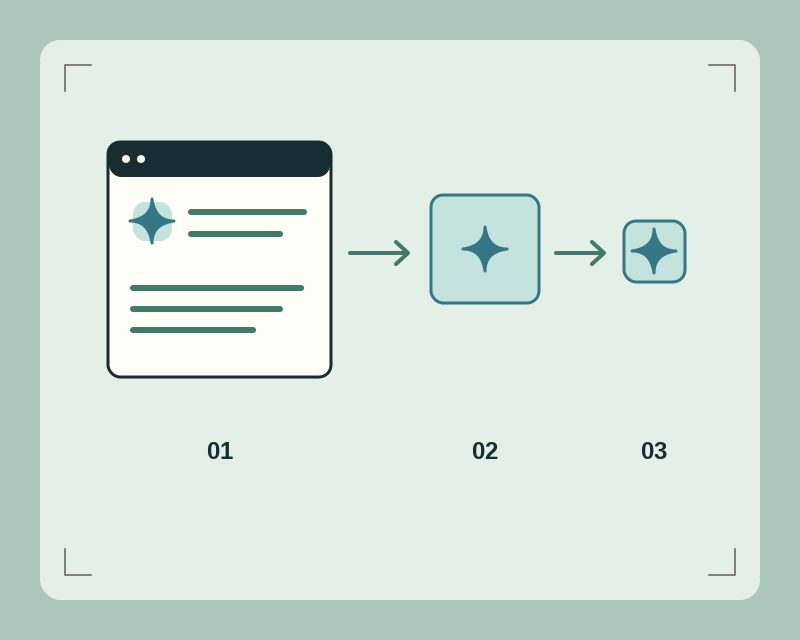
Guarda tres direcciones por separado. Anota la portada efectiva, el archivo que declara y el resultado observado en Google, con su fecha.
Ubica el nombre de host
En el ejemplo, www.tienda.example y aula.tienda.example son hosts distintos. La guía de Google Search Central explica que cada host puede tener su propio favicon en los resultados orgánicos. Una sección como www.tienda.example/zh/ pertenece al mismo host que la portada de la tienda. Agregar allí otro icono no crea una segunda identidad para esa sección en Google.
Empieza por la dirección que aparece en la búsqueda. Abre su portada y registra adónde llega si hay una redirección.
Lee la declaración de la portada
Busca en el encabezado del documento el enlace con rel="icon". En la tienda podría apuntar a /assets/icono.png. Resuelve esa dirección respecto de la URL efectiva de la portada. Si el enlace apunta a otro host, inclúyelo en la revisión.
Supón que /zh/ apunta al icono nuevo y que la portada sigue declarando el anterior. Corrige primero la referencia de la portada si el cambio se diseñó para todo el sitio. Evita deducir la referencia de Google por el icono que conserva una pestaña del navegador.
Abre el archivo por separado
Abre el archivo declarado sin sesión. Comprueba que la respuesta entregue la imagen y que se pueda reconocer a tamaño pequeño. En el ejercicio se usa un PNG cuadrado de 64 × 64. Conserva una URL estable y revisa que la portada y el archivo se puedan rastrear. Google identifica al rastreador de imágenes por separado en esta comprobación.
Una URL puede devolver 200 y abrir una página de acceso con texto. Apunta al archivo real si ocurre eso y revisa el tipo de contenido junto con lo que ves.
Conserva dos fechas de observación
Anota cuándo comprobaste la portada y el archivo. En otra fila apunta cuándo y para qué consulta observaste el resultado. Si el resultado mantiene el icono anterior, el registro permite distinguir la configuración que servía el sitio de la apariencia observada. La documentación de Google deja la presentación sujeta a procesamiento y elegibilidad.
Cierra la revisión con un control reproducible
Guarda el host, la URL final de portada, el enlace declarado, las dimensiones y lo que devolvió la solicitud. Repite desde una sesión nueva si modificas el archivo. La tienda puede comprobar de nuevo su portada y el resultado sin volver a crear el icono ante cada observación.
How to check your site’s favicon for Google Search
A fictional store redesigns its icon. The new icon appears in the browser tab for the Chinese section, but a search still shows the old one. The review starts at the homepage for the hostname in the result.
Keep three addresses separate. Record the final homepage, the file it declares and the Google result you observed, with its date.
Identify the hostname
In the example, www.tienda.example and aula.tienda.example are different hosts. Google Search Central explains that each host can have its own favicon in organic results. A section like www.tienda.example/zh/ shares a host with the store’s homepage. Adding a different icon there does not give the section a second identity in Google.
Start with the address in the search result. Open its homepage and record the final destination if it redirects.
Read the homepage declaration
Find the link with rel="icon" in the document head. The store could point to /assets/icono.png. Resolve the address against the final homepage URL. If the link points to another host, include it in the review.
Suppose /zh/ points to the new icon while the homepage still declares the old one. Update the homepage reference first if the change was designed for the whole site. Avoid inferring Google’s reference from an icon that the browser keeps in a tab.
Open the file on its own
Open the declared file without signing in. Check that the response delivers the image and that it remains recognizable at a small size. The exercise uses a square 64 × 64 PNG. Keep a stable URL and check that the homepage and file can be crawled. Google identifies its image crawler separately for this check.
A URL can return 200 and open a text-based sign-in page. Point to the real file if that happens and review the content type alongside what you see.
Keep two observation dates
Record when you checked the homepage and the file. On a separate row, record when you saw the result and for which query. If the result retains the old icon, the record separates the configuration the site served from the appearance you observed. Google’s documentation makes presentation subject to processing and eligibility.
Finish with a check someone can repeat
Keep the host, final homepage URL, declared link, dimensions and what the request returned. Repeat from a fresh session if you change the file. The store can check its homepage and the result again without recreating the icon after each observation.
从主机的首页检查 Google 搜索结果的网站图标
一家虚构商店重新设计了网站图标。中文区的浏览器标签已出现新版,但搜索结果仍显示旧图标。检查从结果中主机名所对应的首页开始。
分别保存三个地址。记下最终首页、它声明的图标文件和观察到的 Google 搜索结果,并标注日期。
确定主机名
在例子中,www.tienda.example 和 aula.tienda.example 是两个主机。Google 搜索中心说明,每个主机可在自然搜索结果中有自己的网站图标。www.tienda.example/zh/ 这样的栏目与商店首页共用主机。只为该栏目添加另一图标,并不会让它在 Google 上获得单独的站点标识。
从搜索结果中的地址出发,打开对应首页。如果发生重定向,记下最终去向。
读取首页上的声明
在文档的 head 中查找 rel="icon" 链接。商店可以把它指向 /assets/icono.png。相对地址以最终首页网址为基准解析。如果链接指向另一主机,把该主机也纳入检查。
假设 /zh/ 指向新版图标,但首页还声明旧版。如果这次变更面向全站,先改首页上的引用。避免凭浏览器标签保留的图标推断 Google 读取的是哪个地址。
单独打开图标文件
退出登录后打开声明的文件。确认响应确实返回图片,缩小后仍可辨认。本练习使用 64 × 64 像素的正方形 PNG。保留稳定网址,检查首页和图标文件是否可被抓取。Google 在这项检查中单独说明了图片抓取工具的作用。
有些网址会返回 200,却打开带文字的登录页面。遇到这种情况,应把地址指向实际文件,同时查看内容类型和显示结果。
保留两次观察的日期
记下检查首页和文件的时间。另起一行,写下何时、针对哪个查询看到了搜索结果。如果结果仍显示旧图标,记录能分开呈现网站提供的配置和当时看到的界面。Google 的文档说明,显示取决于处理结果与资格条件。
用可重复的检查收尾
保存主机名、最终首页网址、声明的链接、尺寸及请求返回的内容。修改文件后从新会话重做检查。商店可以再次核对首页和搜索结果,无需每看到一次差异就重做图标。
Fuentes y método
- Google Search Central · Define a favicon to show in search results ↗
- WHATWG HTML Standard · Link type icon ↗
Fuentes consultadas el 10 de noviembre de 2026. Los casos y datos numéricos de los ejercicios son ficticios. Editorial standards · Disclosures.